

Quick Start Guide
Welcome to your Quick Start Guide.
The goal of this guide is to get you more comfortable with your recent purchase.
Here's how you can get the most out of your Thryv.
Do business easier. be easier to do business with.
Do business easier. be easier to do business with.
Thryv's end-to-end client experience platform helps you get the job, manage the job, and get credit.
Helping you meet today's customer's expectations
all from a single screen,
with one simple software so you can reach more customers, stay organized and get paid faster.
What's included:
- Your end-to-end client experience platform
- Getting started with your new Thryv
- Your 24/7 Support Team
Getting Started with Thryv
Don't miss out on any of Thryv's functionality. Get started fast with these simple setup steps.
1. Verify and update business Info.
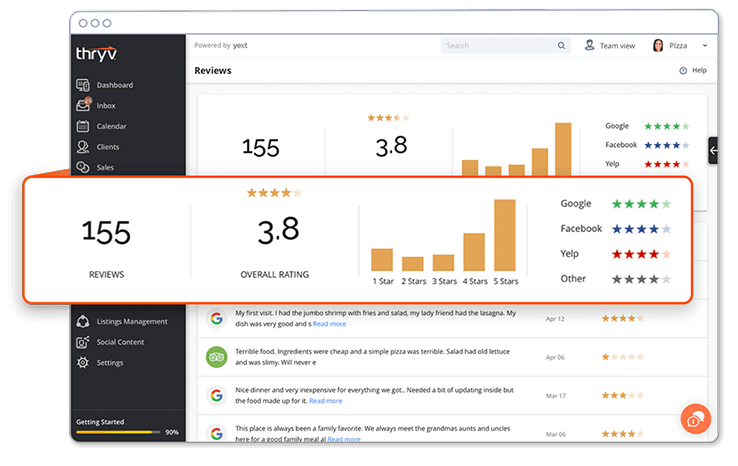
To get started, enter all of your business information under Listings Management > Listings Overview.
Thryv will automatically lock and sync your business information across 60+ listings sites. It takes about 72 hours to sync and update your listings.
Add a featured message and a call to action to make your online listings even more powerful. Such as "Curbside pick-up available, Schedule today."
Once activated, you can monitor your online presence, competitor watch and even monitor your reviews all in one place
under Online Presence > Reviews.
2. Import your contacts.
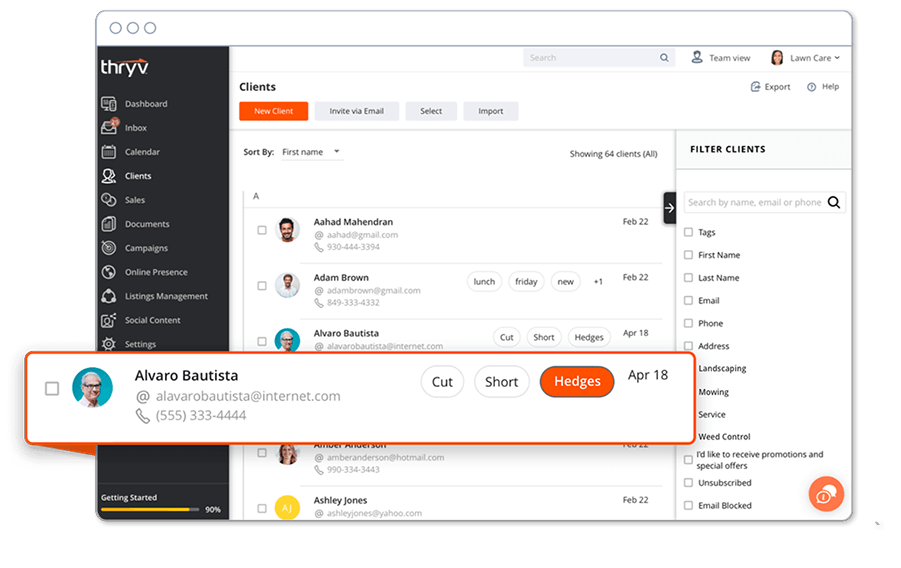
Import your contacts using an Excel .csv file, Gmail, or Square.
When you have all your customers located in one place it makes it easy to communicate and send a message, send an invoice, schedule an appointment, and more.
Begin importing your customer list by navigating to Clients and clicking Import.
3. Sync your calendar, add staff, and set up services.
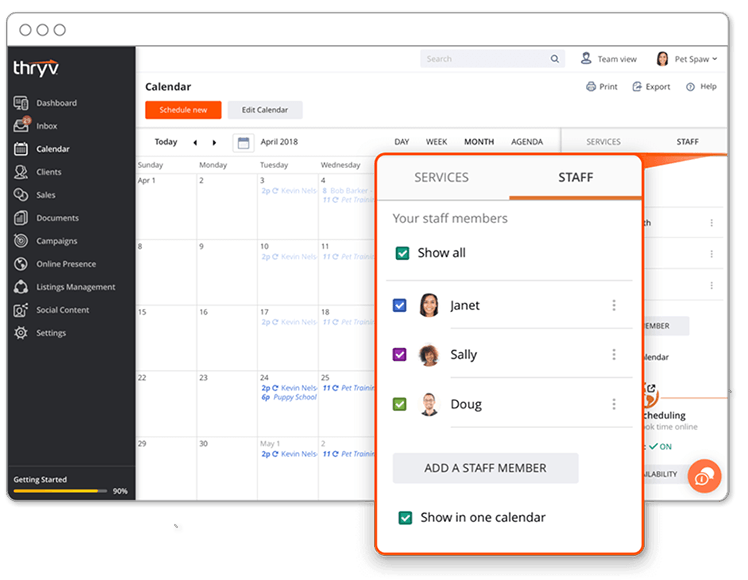
Sync your own calendar to Thryv and fill open appointments 24/7 by navigating to Settings > Availability & Calendar.
Once you’ve synced your calendar, add services and staff members to manage your day-to-day operations. Add staff members by navigating to Settings > Staff. Add all of your offered Services under Settings > My Services.
Allow customers to book online? Enable online booking to allow a list of your services to be visible to customers inside your service menu.
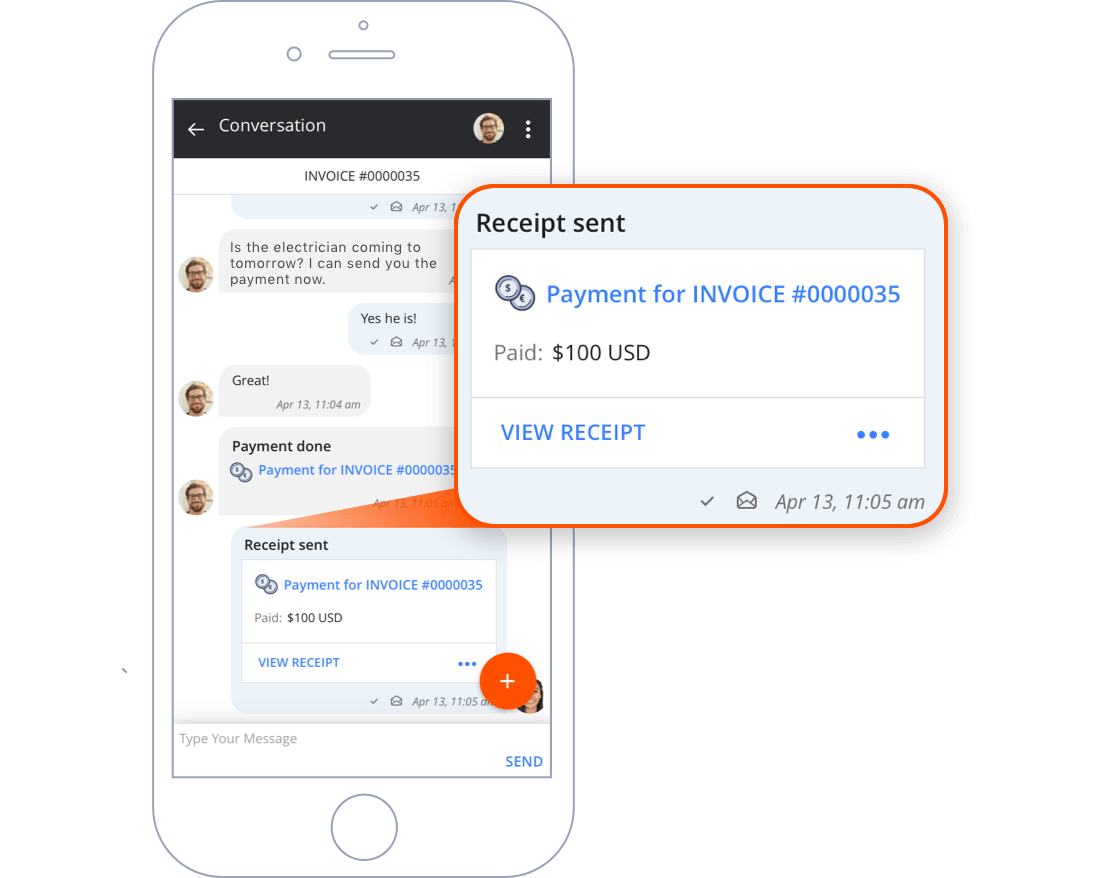
4. Connect To Payments And Send Your First Invoice.
Create an account with Square®, Stripe®, and/or PayPal® to accept online payments at a competitive rate, including the ability to accept Mobile QuickPay payments.
Once you’ve created your Payment Processing account, click Connect to Square, Stripe, or PayPal
by navigating to Settings > Payments.
5. Claim your keyword and create your first announcement.
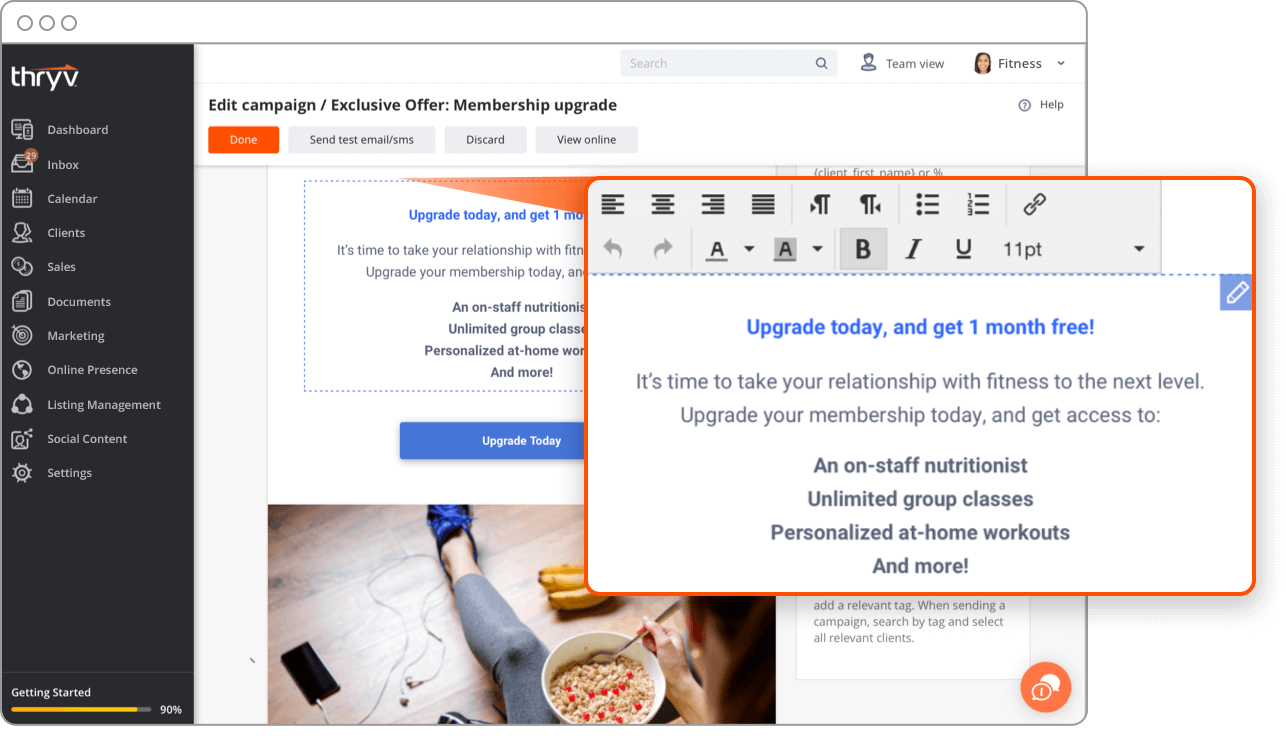
Claim a keyword and create your first Announcement to promote your business and attract new customers.
Your customers can text your keyword to 85-100 to opt-in
to your promotions list.
Claim a keyword by clicking Settings > Campaigns. Create your first Announcement or select one from the library by navigating to Marketing > Announcements.
6. Connecting Website Widgets to your website.
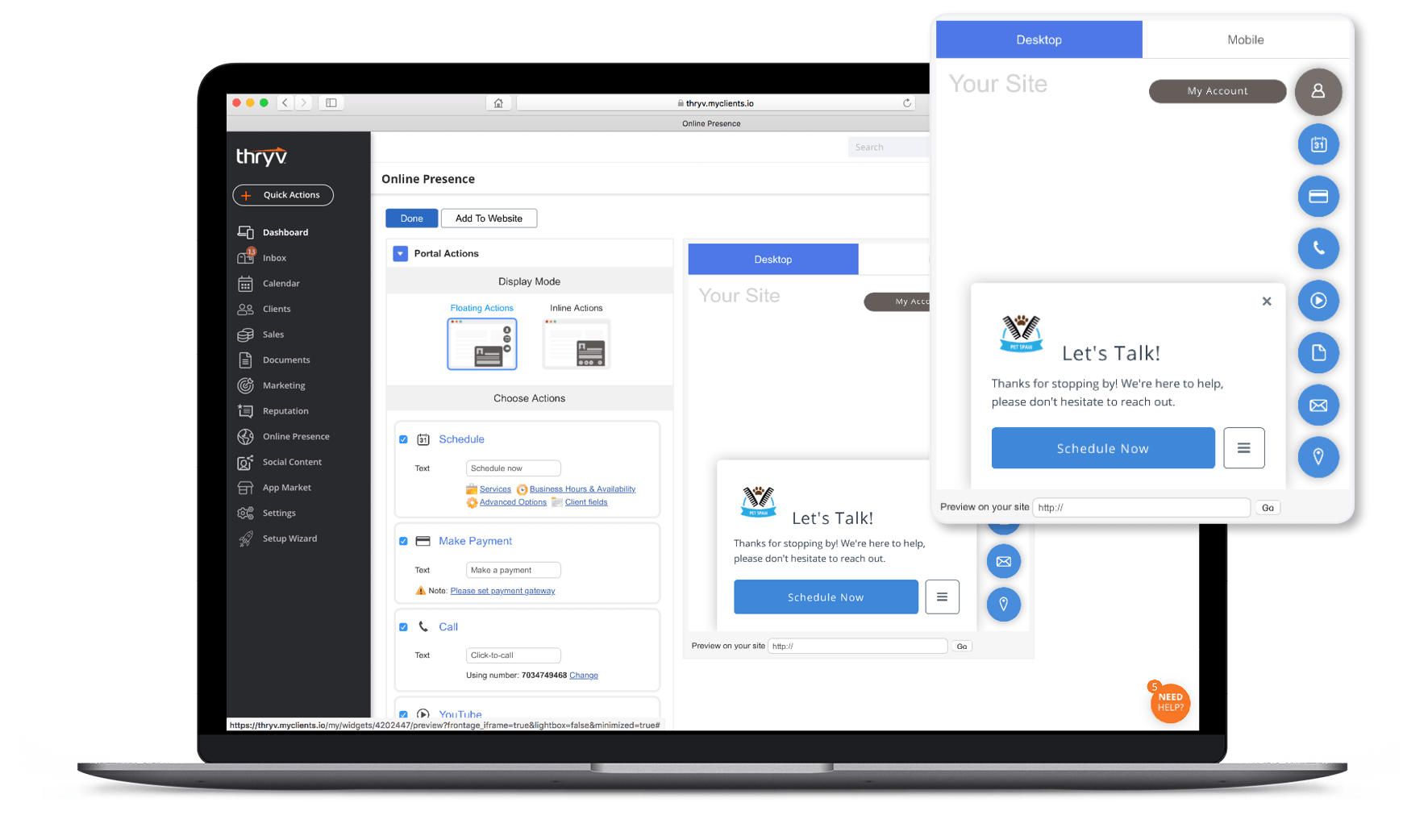
Connect Thryv's Website Widgets to your website, regardless of where you host.
By adding the Website Widgets, all incoming data directly injects into your Thryv, which makes it easy to interact with your customers online.
Go to Online Presence > Website Widgets
to decide which widgets you want to use and copy the code. Send the code to your website admin to get them added or let us know how we can help.
7. Connect your social media.
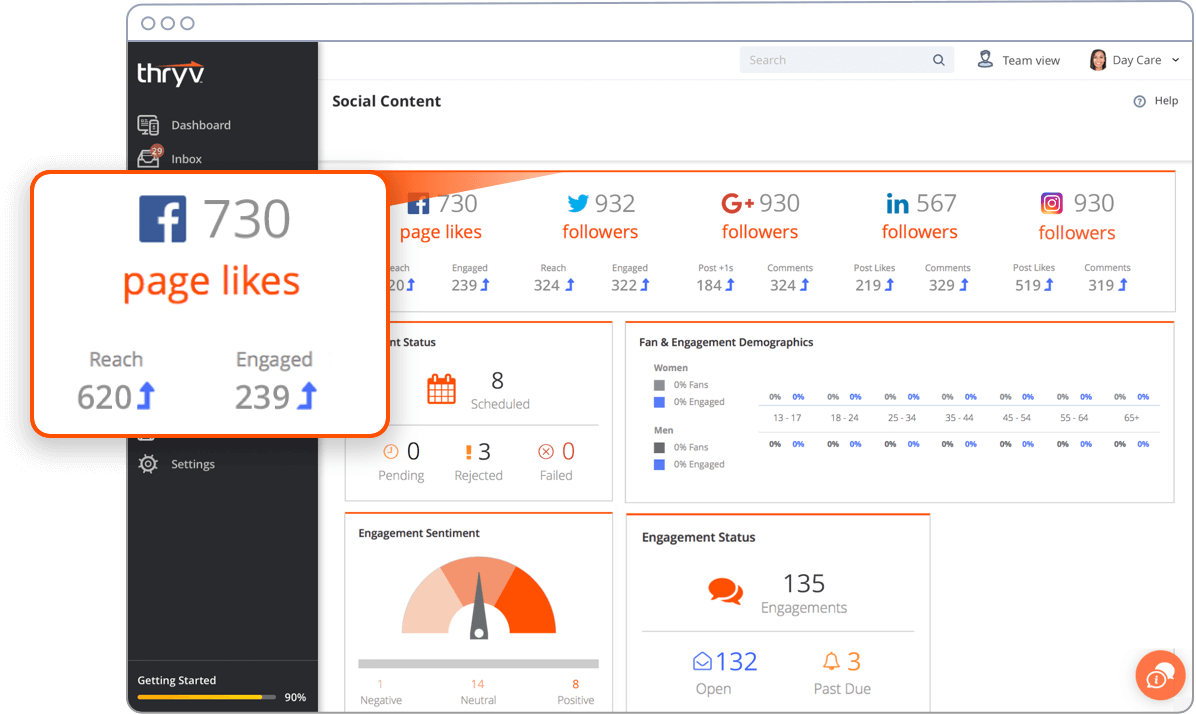
Connect your Facebook®, Twitter®, Instagram®, LinkedIn® and Google®
posts to Thryv.
Post content, photos, links and videos to all your Social Media pages. View and respond to all of your comments directly right inside Thryv.
8. Take Thryv on the go.
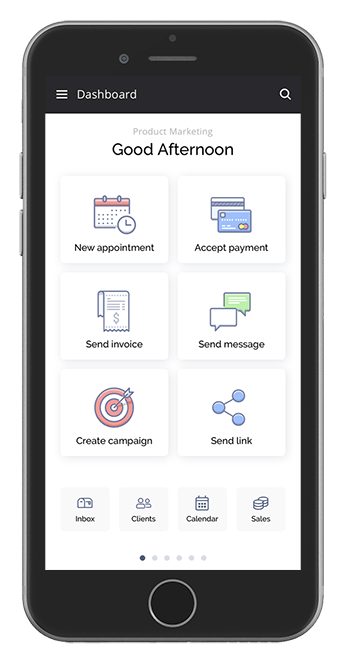
Last, but certainly not least, run your business on-the-go, with 24/7 access
right in the palm of your hand.
Download our mobile app and start Thryv'ing wherever you go. Go to Apple App Store
or get it on Google Play
today!
You're now ready to Thryv! Don't worry, You're not alone.
In-App Support
Are you a DIYer? Click the help center icon in the lower right corner of your Thryv for hundreds of how-to guides and videos.
Live Appointment
Feel like you need more than a DIY walkthrough to get the hang of Thryv? Schedule an appointment with one of our Thryv Service Specialists to get up and running quickly.
Email Us
Want to send us a quick email? That works, too. We usually get back to you within 24 hours.
Send us an email at support@thryv.com.
Support Center
Check out our Thryv Support Center at learn.thryv.com
and stay up to date on all things Thryv, including video tutorials, walk through guides, frequently asked questions, and latest releases.
Live Chat
We’re available 24/7 via online chat. Easily start a chat session using the Need Help icon in the lower right corner of your Thryv, and get answers to your questions fast.
Call Us
Prefer to talk on the phone? We’re available 24/7 just for you. Give us a call at
844-99-THRYV
(844-998-4798).
An Overview of Your end-To-end Software
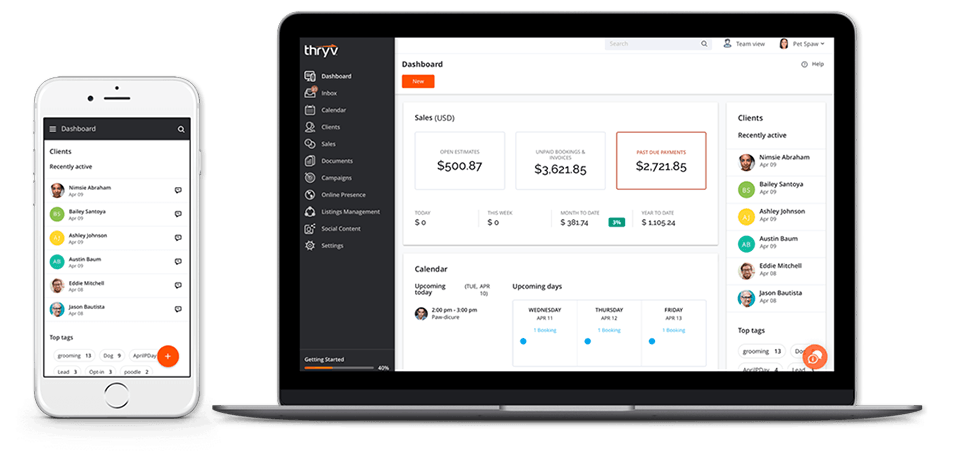
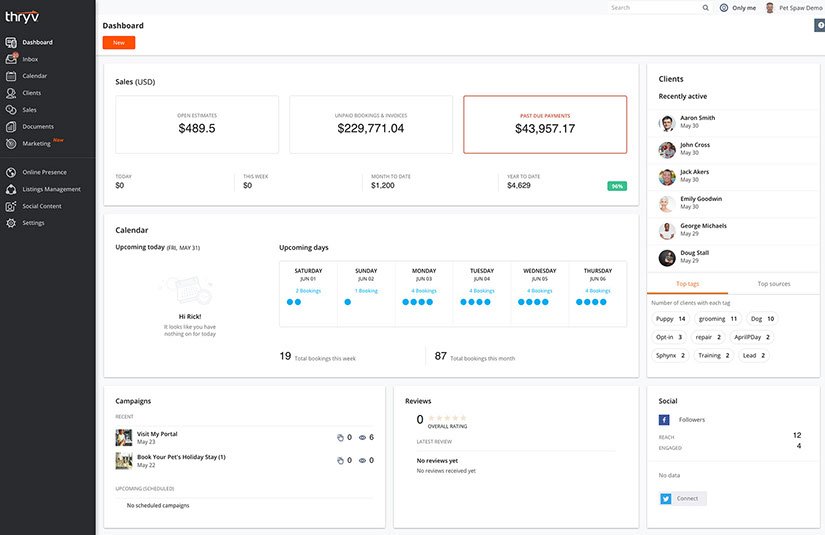
Welcome to Thryv's dashboard.
This is where you can see everything Thryv's doing for your business at a glance.
1. Sales & Payments
Let Thryv process payments for you, and spend less time tracking your money. Know how much money you have coming in from any device, 24/7, on your dashboard.
LEARN MORE
2. Calendar
No need to jump between applications. Manage and see all of your upcoming appointments at a glance, in one place.
LEARN MORE
3. Marketing Campaigns
Send large scale, multi-channel campaigns with ease. Once sent, measure your success with detailed insights and analytics.
LEARN MORE
4. Reputation Management
Free yourself from excessive logins. With your new Review Response Management Tool, we give you the tools to monitor and respond to all of your reviews across the web.
LEARN MORE
5. Clients (CRM)
Contacts are the heart of Thryv. Import your contacts and gain a new, fully functional CRM. See recently active clients and find customer information faster than ever.
LEARN MORE
6. Social Media
Don’t settle for so-so social media. We give you manageable social media tools so that you can truly Thryv. Grow and track your social engagement across the web with Thryv Social.
LEARN MORE